
The Best Frame.io Alternatives for Video Asset management
(2026 review & pricing)

Frame.io is a powerful tool for video review and collaboration - especially for post-production teams working inside the Adobe ecosystem. But for many teams, it can feel like overkill for their day-to-day needs. You might find it works well for short-term project reviews but falls short when managing a large, long-term media library. Or you might be missing critical features like face recognition or advanced tagging to keep your growing content organized.
If that sounds familiar, here are a few alternatives worth considering:
✓ Tagbox.io
✓ Iconik
✓ Cloudinary
✓ Air
In this article, I'll talk about the pros and cons of using Frame.io; I'll offer first-hand experience in comparing it to other alternaitives, and share some open workspaces from each product that I found on the web, which can really help, since most of them are demo-only, and do not allow you to freely explore on your own.
Frame.io - overview & pricing
Frame.io was built for video teams to collaborate on edits. Now part of Adobe, it has deep integrations with Premiere Pro and After Effects, plus real-time commenting tools that are great for getting frame-accurate feedback. It’s widely used by post-production teams and agencies.
But for small teams juggling ongoing photo/video shoots, campaign assets, and general brand visuals, Frame.io wasn’t built for managing a large, long-term library. Here’s where that becomes especially noticeable:
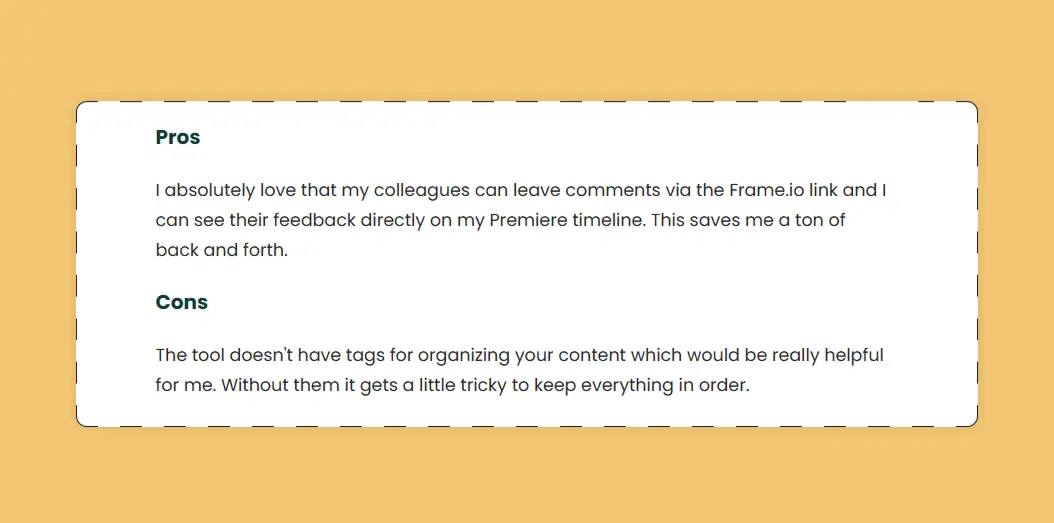
Why You Need A Frame.io Alternative
❌ Project-Centric UX, Not Library-Centric
Frame.io is built around project workflows, which makes it great for editing-focused teams. But if you're managing an ongoing, evolving media library with content across shoots, campaigns, and clients, Frame.io lacks the infrastructure to scale with you. There's no real way to maintain a clean, consistent library over time.
❌ No Advanced Tagging Tools
While basic manual tagging is available, Frame.io doesn’t support bulk tagging, taxonomy management, or structured metadata. As your asset volume grows, staying organized becomes increasingly difficult.
❌ No Face Recognition
There’s no built-in face recognition in Frame.io, so you can’t search by person or automatically tag who appears in your footage. For teams working with people-heavy content, this is a major limitation.
❌ Missing AI-Powered Features
Frame.io offers solid transcript-based search, but lacks broader AI tools like product auto-tagging or OCR (text in image/video). These can save hours of manual work and surface content you didn’t even know you had.
❌ Per-seat pricing
Frame.io's per-seat pricing can quickly get expansive, and forces you to always manage your users. Once you go over 15 users, you're in enterprise-land, where pricing can quickly jump to thousands a month.
❌ Limited Multilingual Support
Transcription is available in multiple languages, but the UI and metadata search are English-only - less practical for global teams.

Tagbox.io: AI-first Media Library, Not a review tool
If you're managing a large video or photo library - with thousands of assets from shoots, campaigns, or user-generated content - you need more than just a review tool. You need smart ways to find, organize, and reuse content quickly. This is especially true for social media and marketing teams working with high volumes of raw footage and multiple collaborators.
Tagbox.io was designed for that exact use case. It combines powerful AI with an intuitive, visual-first interface to help creative teams stay fast and organized without extra admin work.
Search and Filters
Marketing and ecommerce teams often need to retrieve very specific assets quickly - like all images of a red product variant, or clips where a certain phrase was mentioned. Tagbox allows users to search not only by filename or tag, but by visual content, transcript, emotion, and even background text - ideal for surfacing UGC, influencer posts, or product-specific footage across platforms.
Tagging
Tagbox auto-tags assets using your brand's taxonomy. A batch of lifestyle images might automatically be tagged as "outdoor," "running," and "blue jacket" - while also allowing for manual refinements. This structure helps ecommerce teams group assets by product line or campaign theme without hours of admin work.
Face Recognition
Tagbox identifies recurring faces in your content and helps you track where individuals appear across your library. For ecommerce, that means you can pull every image or video featuring a particular model, brand ambassador, or creator - perfect for rights management or influencer content audits.
Smart Upload & Guest Links
Working with photographers, agencies, or UGC creators? Tagbox allows them to upload assets via guest links - automatically sorting them into the right folder, tagging them with context like shoot date or campaign, and making them immediately searchable.
Advanced AI
For advanced use-cases, Tagbox can automatically detect products, logos, and background elements - making it easier to organize, repurpose, and reuse your content at scale. For ecommerce teams, this means you can instantly filter for specific product lines, pull all content showing your logo for brand audits, or identify product packaging variations across different shoots. It saves time, reduces tagging errors, and helps your team stay on-brand without manual effort.
Pricing
Tagbox’s pricing is transparent and available on its website. It has 4 different plans:
Starter Plan ($250/month): 5,000 items and 5 users.
Basic Plan ($400/month): 10,000 items with unlimited users.
Pro Plan ($600/month): from 25,000 with expansion options and advacned features.
Enterprise Plan: (custom pricing) includes platform customizations, dedicated integrations, and more.
Feature comparison
up and running in a week
Setting up a Digital Asset Management platformcan take months.
At Tagbox, we understand that a productivity tool is supposed to, well, help productivity, which is why our data migration team would love to help get organized within just one week of signing up.


Frame.io vs. Iconik
Frame.io is primarily a cloud-based video review and collaboration platform with strong timeline comments, approvals, and integration with creative tools, making it ideal for video production teams.
Iconik, by contrast, is built as a full media asset management (MAM) system that handles the entire asset lifecycle, flexible storage (cloud/on-prem), and enterprise governance alongside review workflows, so it’s better suited for organizations needing both DAM and project-level collaboration beyond just video.


Frame.io vs. Cloudinary
Frame.io focuses on helping creative teams review, annotate, and approve video and media collaboratively, whereas Cloudinary is an API-first cloud media management platform that emphasizes storing, transforming, optimizing, and delivering images and videos for digital applications at scale - making Cloudinary more developer-centric for media workflows and delivery, and Frame.io more focused on production review and feedback.

Frame.io vs. Air
Frame.io specializes in video-centric collaboration and review workflows, giving teams streamlined feedback and approval tools within a cloud workspace, while Air is a broader creative operations and digital asset management (DAM) platform with visual organization boards, AI-assisted smart search, and unified asset workflows across all media types, making it better for teams that want to manage and collaborate on creative assets end-to-end rather than just review video projects.

Brandfolder vs. play book
Frame.io excels in project-centric video review and collaboration with tight versions, comments, and feedback loops, often embedded directly into creative apps.
Bynder, as a full-featured DAM, extends beyond production review to include robust brand portals, advanced metadata and workflow controls, and enterprise governance tools, positioning it as a stronger choice for teams that need comprehensive asset management and brand consistency across campaigns.


Frequently Asked Questions
Who should use Frame.io?
Frame.io is best suited for video production teams who need timestamped review and approval on cuts, with tight integration to Adobe Premiere and After Effects. It excels at video review workflows but is less suited to broader visual asset management.
How much does Frame.io cost?
Frame.io plans start around $15/user/month and scale up for teams and enterprise. Pricing depends on storage, projects, and Adobe Creative Cloud bundling.
What are the top alternatives to Frame.io?
The top alternatives to Frame.io include Tagbox.io, Wipster, Vimeo Review, Bynder, and Filecamp.
We analyzed 9 leading DAM platforms feature by feature, with every claim cited to the vendor's own help center or release notes. See the full DAM comparison →